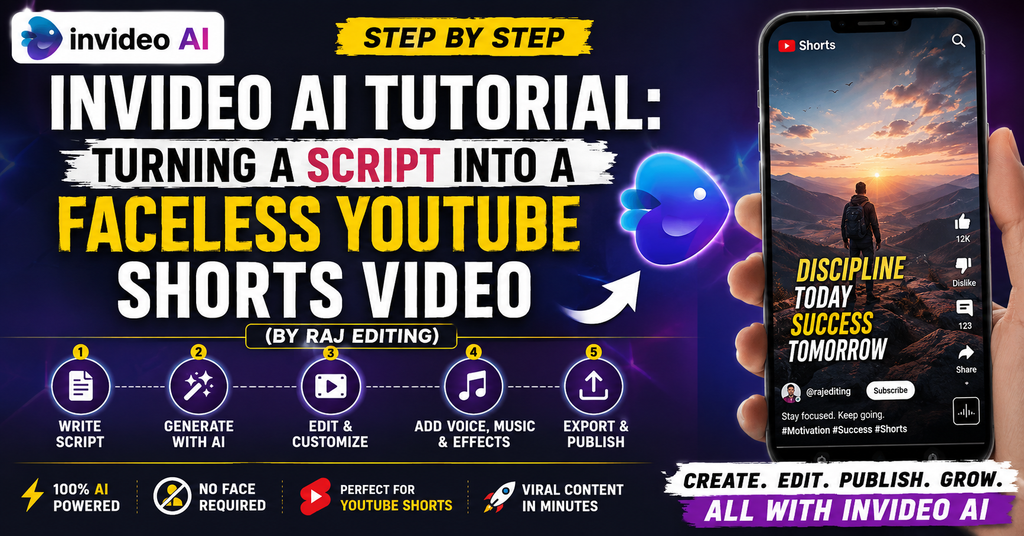
InVideo AI Tutorial: Turning a Script Into a Faceless YouTube Shorts Video (By Raj Editing)
An InVideo AI tutorial for faceless Shorts should start with the script because every later choice—scene count, B-roll, subtitles, voice pace and music—depends on what the script is trying to say. InVideo’s current help describes a “Use my script” route, conversational Agent flows and an Autopilot option for a more one-shot generation experience. The 30 workflows below show different ways to structure a vertical faceless video, including listicles, explainers, comparisons and FAQ answers. After generation, the real editing work is reviewing generic B-roll, tightening captions and making sure the Short still communicates when watched without sound.
30 InVideo AI Faceless Shorts Workflows
Copy one workflow into InVideo AI as a production brief, then review every generated scene. AI-selected media should be replaced whenever it only looks related instead of being genuinely relevant.
Start With the Script Because the Script Controls Everything
This is the practical core of InVideo AI tutorial: InVideo AI results improve when Use my script, Agent flow and Autopilot are specified before generation. A clear script defines what each scene needs to communicate, while the chosen generation path determines how much back-and-forth you want before the first draft exists.
Then refine media type and background music. Media type and background music should support the script rather than create generic atmosphere. Subtitles need readable line breaks, and any AI-selected visual that misrepresents the narration should be replaced manually even if it looks polished.
Choose Agent Flow or Autopilot for the Job You Actually Have
InVideo AI results improve when Autopilot, media type and background music are specified before generation. A clear script defines what each scene needs to communicate, while the chosen generation path determines how much back-and-forth you want before the first draft exists.
Then refine subtitle style and language. Media type and background music should support the script rather than create generic atmosphere. Subtitles need readable line breaks, and any AI-selected visual that misrepresents the narration should be replaced manually even if it looks polished.
Specify Media, Music, Subtitles and Language Before Generation
InVideo AI results improve when background music, subtitle style and language are specified before generation. A clear script defines what each scene needs to communicate, while the chosen generation path determines how much back-and-forth you want before the first draft exists.
Then refine Magic Box and 9:16 ratio. Media type and background music should support the script rather than create generic atmosphere. Subtitles need readable line breaks, and any AI-selected visual that misrepresents the narration should be replaced manually even if it looks polished.
Replace Generic AI B-Roll With More Specific Visuals
InVideo AI results improve when language, Magic Box and 9:16 ratio are specified before generation. A clear script defines what each scene needs to communicate, while the chosen generation path determines how much back-and-forth you want before the first draft exists.
Then refine voiceover and scene pacing. Media type and background music should support the script rather than create generic atmosphere. Subtitles need readable line breaks, and any AI-selected visual that misrepresents the narration should be replaced manually even if it looks polished.
Make the Faceless Short Work With Sound Off
InVideo AI results improve when 9:16 ratio, voiceover and scene pacing are specified before generation. A clear script defines what each scene needs to communicate, while the chosen generation path determines how much back-and-forth you want before the first draft exists.
Then refine B-roll replacement and faceless Short. Media type and background music should support the script rather than create generic atmosphere. Subtitles need readable line breaks, and any AI-selected visual that misrepresents the narration should be replaced manually even if it looks polished.
2026 Feature Check for InVideo AI
InVideo’s current help says “Use my script” can take preferences such as media type, background music, subtitle style and language. It also distinguishes conversational Agent workflows from Autopilot’s more direct generation path. Check the current InVideo AI help before publishing or updating a time-sensitive claim.
Related Raj Editing Guides
Related Raj Editing guides that genuinely overlap with this topic are AI photo editing prompts for boys, Filmora YouTube editing and YouTube Create app.
Frequently Asked Questions
Can InVideo AI use my exact script?
For InVideo AI, when answering ‘Can InVideo AI use my exact script?’, the practical answer depends on the source media and the version of the app you are using. In this article, the most relevant checks are Use my script and Agent flow. AI generation is a first draft; scripts, facts, B-roll, captions and brand fit still need human review before publishing.
What is the difference between Agent flow and Autopilot?
For InVideo AI, when answering ‘What is the difference between Agent flow and Autopilot?’, treat this as a workflow decision rather than a rule that applies to every project. In this article, the most relevant checks are Autopilot and media type. AI generation is a first draft; scripts, facts, B-roll, captions and brand fit still need human review before publishing.
How do I request a vertical 9:16 Short?
For InVideo AI, when answering ‘How do I request a vertical 9:16 Short?’, start with the simplest version that solves the visual problem, then add complexity only when it improves the result. In this article, the most relevant checks are background music and subtitle style. AI generation is a first draft; scripts, facts, B-roll, captions and brand fit still need human review before publishing.
Why does AI-generated B-roll sometimes feel generic?
For InVideo AI, when answering ‘Why does AI-generated B-roll sometimes feel generic?’, for this search intent, the safest approach is to check the current control in your installed app and judge the output itself. In this article, the most relevant checks are language and Magic Box. AI generation is a first draft; scripts, facts, B-roll, captions and brand fit still need human review before publishing.
Should I trust generated facts and names automatically?
For InVideo AI, when answering ‘Should I trust generated facts and names automatically?’, a good result comes from matching the tool to the material instead of forcing the same setting onto every edit. In this article, the most relevant checks are 9:16 ratio and voiceover. AI generation is a first draft; scripts, facts, B-roll, captions and brand fit still need human review before publishing.
How do I make a faceless Short work with sound off?
For InVideo AI, when answering ‘How do I make a faceless Short work with sound off?’, the feature can help, but it does not remove the need to inspect timing, crop, edges, audio or color in the finished file. In this article, the most relevant checks are scene pacing and B-roll replacement. AI generation is a first draft; scripts, facts, B-roll, captions and brand fit still need human review before publishing.
What subtitle instructions should I include in the prompt?
For InVideo AI, when answering ‘What subtitle instructions should I include in the prompt?’, use the current official app/help page for availability, then apply the technique according to your own footage or photo. In this article, the most relevant checks are faceless Short and 4K export. AI generation is a first draft; scripts, facts, B-roll, captions and brand fit still need human review before publishing.
When should I replace generated media manually?
For InVideo AI, when answering ‘When should I replace generated media manually?’, think about what the viewer needs to notice first; that usually tells you whether the feature is necessary. In this article, the most relevant checks are Use my script and Agent flow. AI generation is a first draft; scripts, facts, B-roll, captions and brand fit still need human review before publishing.