Attitude Boy AI Photo Prompt: 30 Copy Paste Prompts for Boys That Keep Your Face Exactly the Same
An attitude boy AI photo prompt is a text instruction that turns an ordinary phone selfie into a sharp, cinematic portrait while keeping your face exactly as it is. This page has 30 free prompts covering street, formal, bike, gym and cinematic looks. Copy any one, upload your photo, paste, and you have the result in under a minute.
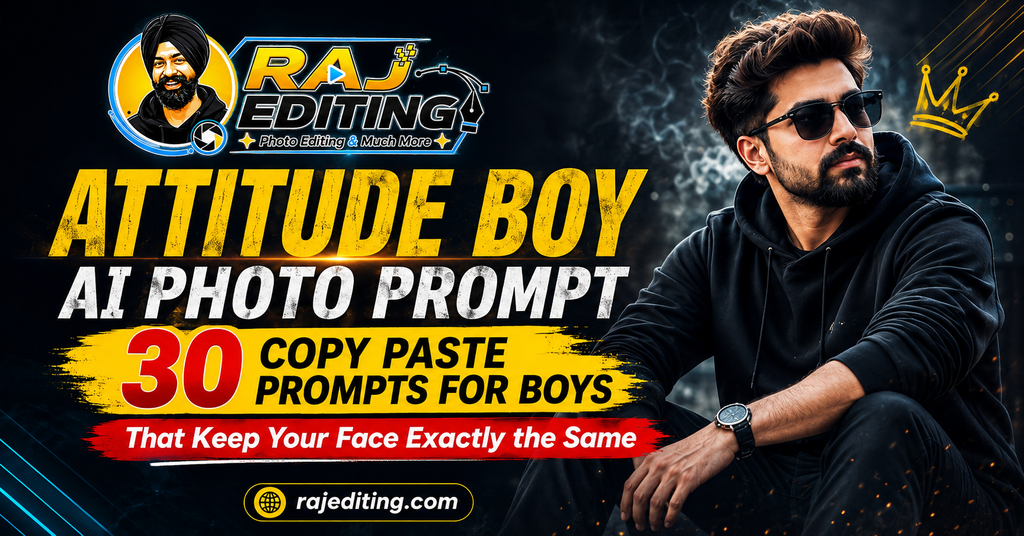
What separates a good attitude portrait from a bad one is lighting, not the outfit. Every prompt below names the direction and quality of light, because that is what creates the contrast people recognise as an attitude look. Soft, flat light produces a flat photo no matter what you are wearing.
30 Attitude Boy AI Photo Prompts (Copy and Paste)
Tap copy on any prompt, upload your photo to your AI tool first, then paste it in. Leave the final line of each prompt exactly as written, because that is the instruction protecting your face.
Street and Urban Looks
Night and city settings with strong contrast. These work best with a photo where your face is evenly lit, because the prompt supplies the drama.
1. Black Hoodie Street Portrait
Change my outfit to a plain black oversized hoodie and dark jeans. Place me on a narrow city street at night with warm shop lights behind me forming soft bokeh. Use one cool key light on my face for contrast. Keep my face, features and expression exactly as in the uploaded photo. Sharp detail, realistic skin texture, no smoothing.
2. Denim Jacket Alley Portrait
Replace my clothing with a washed blue denim jacket over a white tee. Setting: a graffiti-covered alley with overcast daylight. Add a slight cinematic contrast grade with lifted blacks. Preserve my exact facial structure, jawline and expression from the original image. Natural skin with visible texture, no plastic finish.
3. White Shirt Rooftop Attitude
Dress me in a crisp white shirt with the sleeves rolled up and the top button open. Place me on a rooftop at dusk with the skyline behind and a warm rim light on my shoulders. Keep my face and expression completely unchanged from the uploaded photo. Cinematic look, shallow depth of field, sharp eyes.
4. Leather Jacket Night Portrait
Change my outfit to a black leather jacket over a dark tee. Setting: a wet city street at night with neon reflections on the road. Cool blue ambient with a warm accent light from the side. Preserve my face, features and expression exactly. Realistic leather texture and natural skin, not over-sharpened.
5. Streetwear Sneaker Full Body Shot
Replace my clothing with layered streetwear: an oversized jacket, cargo pants and clean white sneakers. Full body composition against a plain concrete wall in soft daylight. Keep my face and expression identical to the original photo. Realistic fabric folds, accurate proportions, natural shadow under the feet.
6. Metro Station Candid Portrait
Dress me in a grey sweatshirt and dark trousers, standing on a metro platform with a train blurred in motion behind me. Mixed fluorescent and warm light. Preserve my exact face and expression from the uploaded image. Documentary realism, natural colour balance, believable motion blur only in the background.
Formal and Suit Looks
Clean, professional results suitable for profile pictures and CVs. Use a front-facing photo with a neutral expression for the closest match.
7. Navy Blue Formal Suit Portrait
Change my outfit to a well-fitted navy blue suit with a white shirt and no tie. Place me against a plain dark grey backdrop with one soft key light from the front-left and a gentle fill. Keep my face, features and expression exactly as uploaded. Corporate headshot quality, sharp, realistic and suitable for LinkedIn.
8. Black Tuxedo Evening Portrait
Replace my clothing with a black tuxedo, white dress shirt and black bow tie. Setting: a dimly lit hall with warm chandelier bokeh behind me. Preserve my exact facial structure and expression. Elegant, photorealistic, with natural highlight on the lapel and no over-brightened skin.
9. Grey Blazer Office Headshot
Dress me in a charcoal grey blazer over a light blue shirt. Background: a softly blurred modern office interior. Use even, flattering front lighting. Keep my face and expression completely unchanged from the original photo. Clean professional headshot with true skin tone and visible pores.
10. Beige Kurta Formal Indian Look
Change my outfit to a beige linen kurta with a Nehru collar and a matching churidar. Place me in a heritage courtyard with soft morning light. Preserve my face, features and expression exactly. Natural fabric texture, warm neutral grade, photorealistic detail on the embroidery.
11. Black Sherwani Wedding Portrait
Replace my clothing with a black sherwani with subtle gold thread work and a matching stole. Add a simple brooch. Background: a decorated wedding venue with warm ambient light. Keep my exact facial features and expression from the uploaded image. Sharp detail on the embroidery, realistic skin under warm light.
12. Waistcoat and Rolled Sleeves
Dress me in a fitted dark waistcoat over a white shirt with rolled sleeves. Setting: an old brick wall with warm side light. Preserve my face and expression exactly as in the original. Slight film grain, natural contrast, no artificial glow or heavy vignette.
Bike and Car Looks
Vehicle scenes with strong backlight. Model accuracy on specific bike models varies, so keep the vehicle description general unless it matters to you.
13. Cinematic Bike Rider at Sunset
Change my outfit to a black riding jacket and gloves, seated on a modern motorcycle on an empty highway at sunset. Strong warm backlight with long shadows. Keep my face, features and expression exactly as uploaded. Realistic reflections on the fuel tank, natural dust in the air, sharp focus on the face.
14. Royal Enfield Village Road Portrait
Replace the scene with me standing beside a classic Royal Enfield on a rural road lined with trees. Dress me in a plain olive jacket and jeans. Soft late-afternoon light. Preserve my exact face and expression from the original photo. Authentic detail on the bike chrome, natural earth tones, no heavy saturation.
15. Night Ride with Headlight Glow
Place me on a motorcycle at night with the headlight on and warm streetlights behind. Dress me in a dark jacket and helmet held under one arm. Preserve my facial features and expression exactly as in the uploaded image. Realistic night exposure with controlled highlights and believable light falloff.
16. Thar Off-Road Portrait
Change the setting to a dusty off-road trail with a black Mahindra Thar behind me. Dress me in a khaki jacket and boots, one hand resting on the bonnet. Golden hour light with dust in the air. Keep my face and expression completely unchanged. Rugged, realistic, with accurate vehicle proportions.
17. Car Interior Moody Portrait
Place me seated in the driver’s seat of a car at night, lit only by the dashboard glow and passing streetlights. Dress me in a dark jacket. Preserve my exact face, features and expression from the uploaded photo. Deep shadows, realistic mixed colour temperature, natural skin under low light.
18. Highway Sunset Silhouette Portrait
Position me standing beside a bike on an open highway with the sun directly behind, creating a strong rim light and partial silhouette while my face stays visible and correctly exposed. Keep my facial features and expression identical to the original. Warm cinematic grade with realistic lens flare.
Gym and Physique Looks
Every prompt here asks for realistic proportions on purpose. Prompts that request an exaggerated physique produce results that look obviously edited.
19. Natural Gym Portrait
Change my outfit to a fitted black gym vest and shorts. Place me in a well-lit gym with equipment softly blurred behind. Show a realistic, natural physique with correct proportions and no exaggeration. Keep my face, features and expression exactly as uploaded. Visible skin texture and natural sweat, no plastic finish.
20. Moody Gym Side Light
Replace the setting with a dark gym lit by one strong side light. Dress me in a plain grey tank top. Emphasise natural muscle definition through lighting rather than editing the body shape. Preserve my exact face and expression from the original photo. Deep contrast, realistic highlight roll-off.
21. Outdoor Workout at Sunrise
Place me outdoors at sunrise doing a warm-up, wearing a black training tee and shorts. Soft golden light from the side and a park background. Keep my face, features and expression exactly as in the uploaded image. Natural body proportions, realistic sweat and skin tone, no over-defined edges.
22. Boxing Gym Portrait
Change my outfit to a sleeveless top with hand wraps, standing in a boxing gym with a heavy bag blurred behind. Warm overhead light with strong shadows. Preserve my exact facial structure and expression. Gritty, realistic texture on skin and fabric, no beauty smoothing.
23. Athletic Studio Portrait
Dress me in a fitted athletic top against a plain dark backdrop with two rim lights on either side and a soft front fill. Keep my face and expression completely unchanged from the original photo. Clean commercial fitness look with realistic skin detail and accurate anatomy.
24. Post Workout Candid
Place me seated on a gym bench with a towel over one shoulder, looking slightly off camera. Natural window light from the left. Preserve my face, features and expression exactly as uploaded. Honest, unposed feel with true skin tone and no artificial glow.
Cinematic Portraits
Controlled studio and low-light setups. These are the strongest prompts on the page if you want something that looks photographed rather than filtered.
25. Hard Shadow Studio Portrait
Place me against a plain warm-toned wall with one hard light source creating a defined shadow beside my head. Dress me in a plain black tee. Keep my face, features and expression exactly as in the uploaded photo. High contrast, sharp focus on the eyes, visible skin texture and no smoothing.
26. Blue Hour Rooftop Portrait
Position me on a rooftop during blue hour with cool ambient light and one warm practical light behind me. Dress me in a dark overshirt. Preserve my exact face and expression from the original image. Cinematic colour separation between the cool background and warm rim light.
27. Rain Window Reflection Portrait
Place me behind a rain-covered window seen from outside, with water droplets in the foreground and my face in focus through the glass. Overcast light with a warm interior glow. Keep my facial features and expression identical to the uploaded photo. Realistic refraction through the droplets.
28. Smoke and Backlight Portrait
Set me against a dark background with light haze in the air and a strong backlight creating a defined edge on my shoulders and hair. Dress me in a plain dark jacket. Preserve my exact face and expression. Cinematic atmosphere with realistic light scatter through the haze.
29. Close-Up Eye Detail Portrait
Create a tight close-up portrait focused on my eyes, with soft directional light from the front-left. Keep every facial feature, skin mark and the expression exactly as in the uploaded photo. Extremely sharp iris detail, natural pores, realistic eyelash separation, no digital retouching of the skin.
30. Black and White High Contrast Portrait
Convert the image to black and white with strong contrast and deep blacks. Dress me in a plain dark shirt against a dark background, lit by one hard source from the side. Preserve my face, features and expression exactly. Film grain, rich tonal range, classic documentary portrait feel.
How to Use These Prompts (Step by Step)
Every attitude boy ai photo prompt above works the same way. The steps below take under a minute once you have done them once.
Step 1: Pick the right photo
Use a clear, well-lit photo where your face is fully visible and not covered by sunglasses or heavy shadow. Avoid images that already have a strong filter on them, because the model has to fight that filter before it can apply anything new. A plain phone photo taken near a window gives better results than a heavily edited one.
Step 2: Open your AI tool
Open Google Gemini, ChatGPT or any image editing model that accepts an uploaded photo along with a text instruction. Free accounts work for all the prompts on this page, though paid tiers usually return results faster and at a higher resolution.
Step 3: Upload the photo first
Upload the image before you paste the prompt. When the photo goes in first, the model treats your text as an edit instruction rather than a request to generate a new picture from scratch. This one habit fixes most identity problems.
Step 4: Paste the prompt and generate
Tap the copy button on any prompt above, paste it in, and send. Do not add extra words the first time. Run it exactly as written so you can see what the prompt alone produces before you start changing it.
Step 5: Fix one thing at a time
If something is wrong, send a short follow-up naming only that one problem, such as asking for the eyes to match the original more closely. Changing several things in one message is the most common reason the result drifts further away.
How to Write Your Own Prompt (The Formula)
Once you understand the structure, you can build any look you want instead of waiting for someone to publish it. Every prompt on this page follows the same six-part order, and the order matters because the model gives more weight to instructions that come first.
Subject
Who is in the photo. Say “me” or “the couple” so the model knows what it is editing rather than generating from nothing.
The change
The single main thing you want different. Outfit, background, or style. Put this second and keep it to one idea.
Style and mood
Cinematic, editorial, documentary, retro film, painted poster. This word does more work than any other in the prompt.
Lighting
Name the direction and quality. Soft morning light from the left. Hard side light. Warm backlight. Vague lighting is why most results look flat.
Background
Describe the place in one clear line. Too much detail here pulls attention away from the subject.
What must not change
The most important line. State that the face, features and expression stay exactly as uploaded. Without it the model quietly redraws your face.
Common Mistakes That Ruin the Result
Leaving out the preservation line
This is the single biggest cause of a result that does not look like you. These models generate a new image guided by your photo rather than editing pixels directly, so without an explicit instruction to keep your face unchanged, they will quietly adjust your jawline, skin tone or eye shape. Every prompt on this page ends with that line for a reason. Never delete it.
Writing a vague prompt
“Make this look better” gives the model complete freedom, and it will use that freedom in a direction you did not intend. Naming the outfit, the light and the background removes the guesswork. A longer, specific prompt almost always beats a short one in this kind of editing.
Changing five things at once
When a first result is close but not right, most people rewrite the whole prompt. That throws away everything that worked. Send one short correction instead, wait for the result, then send the next. Slow, single corrections land far closer than one big rewrite.
Using a low quality source photo
A blurry, dark or heavily compressed photo gives the model very little facial information to work with, so it fills the gaps by inventing detail. That invented detail is what people describe as the result “not looking like them”. Start with the sharpest photo you have.
Expecting identical results every time
These models are not deterministic. The same prompt run twice returns two slightly different images. This is normal and not a fault in the prompt. If the first attempt is off, simply run it again before you start editing the wording.
Ignoring the hands
Hands remain the weakest area for image models, especially in complex poses. If your photo has hands near the face or fingers overlapping, expect to run the prompt a few times. Choosing a photo where the hands are relaxed or out of frame avoids the problem entirely.
Frequently Asked Questions
Is this attitude boy ai photo prompt free to use?
Yes. Every attitude boy ai photo prompt on this page is free to copy and use. You do not need a paid subscription, and there is no signup on this site. The AI tools themselves have free tiers that handle all of these prompts, though paid plans return results faster and usually at a higher resolution.
Will the AI change my face?
It can, and that is exactly what the last line of every prompt prevents. These models generate a new image guided by your photo rather than editing the original pixels, so they need an explicit instruction to keep your facial features unchanged. If your face still shifts, send a short follow-up naming the specific feature that is wrong.
Which AI tool works best with these prompts?
Google Gemini holds facial identity more reliably, which is the main thing that matters here. ChatGPT tends to be better when the prompt is long and layered or involves text in the image. Try the same prompt in both and keep whichever holds your face more accurately.
Can I use the results on Instagram commercially?
For personal posts, yes. For paid or client work, check two things first. Free tiers of some tools add a visible badge to the output, and an invisible watermark is often embedded regardless of tier. Also remember that permission from the AI tool does not override anyone else’s copyright or likeness rights.
Why does my result look different from the example?
Because these models are not deterministic and because your source photo is different from the one used to test the prompt. Lighting, angle and image quality in your original all affect the output. Run the prompt two or three times before deciding it does not work.
Do these prompts work in Hindi?
You can write prompts in Hindi or Hinglish and most current models will understand them. In practice, English prompts return more consistent results for this kind of detailed image editing, because the models were trained on far more English descriptions of lighting, fabric and camera terms.
How often is this page updated?
New prompts are added regularly, and existing ones are rewritten when a model update changes how they behave. AI image tools change quickly, and a prompt that worked perfectly three months ago can start producing odd results after an update.
Will the gym prompts make my body look fake?
Not if you use the prompts as written. Every physique prompt on this page explicitly asks for realistic proportions and natural skin texture. If you rewrite them to ask for a dramatic transformation, the result will look obviously edited, which defeats the purpose.
Can I use these for my Instagram profile picture?
Yes, and the formal and cinematic portrait groups are the strongest choices for that. Use a photo where your face is centred and well lit, since profile pictures are displayed small and detail in the eyes is what reads at that size.
More Prompt Collections
- Saree AI Photo Prompts for Girls
- Romantic Couple AI Photo Prompts
- Retro Bollywood Poster AI Prompts
- 3D Miniature Figurine AI Prompts
Every prompt on this page was written and checked by hand before publishing. If a attitude boy ai photo prompt stops working after a model update, use the contact page and it will be corrected.