Romantic Couple AI Photo Prompt: 30 Copy Paste Couple Prompts That Keep Both Faces Unchanged
A romantic couple AI photo prompt tells an AI model to restyle a photo of two people while keeping both faces exactly as they are. This page has 30 free prompts covering traditional Indian, pre wedding, casual, cinematic and retro looks. Copy any prompt, upload your photo, paste it, and the edit takes about a minute.
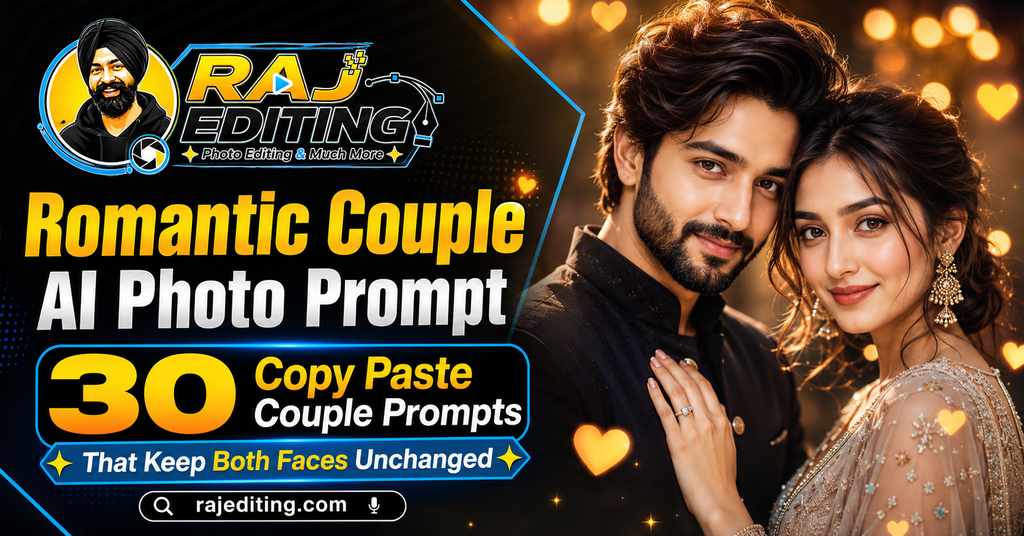
Couple photos are harder than solo portraits for one specific reason: the model has to hold two identities at once, and it usually loses the second face first. Every prompt below states that both faces must stay unchanged, and the section further down explains what to do when one of them still drifts.
30 Romantic Couple AI Photo Prompts (Copy and Paste)
Tap copy on any prompt, upload the couple photo first, then paste. Use a photo where both faces are clearly visible and roughly the same size in frame, because that alone improves accuracy more than any wording change.
Traditional Indian Couple Looks
Ethnic wear with detailed embroidery and jewellery. These are the most popular couple prompts and also the heaviest, so allow a few attempts.
1. Red Saree and Black Sherwani
Dress the woman in a deep red silk saree with gold zari and the man in a black sherwani with subtle gold work. Place them in a decorated courtyard with marigold garlands and warm evening light. Keep both faces, features and expressions exactly as in the uploaded photo. Photorealistic, sharp detail on the embroidery, natural skin tones.
2. Pastel Lehenga and Ivory Kurta
Change the outfits to a pastel pink lehenga for the woman and an ivory kurta with a churidar for the man. Setting: an open garden during golden hour with soft backlight. Preserve both faces and expressions exactly as uploaded. Light, airy mood with realistic fabric movement and no beauty smoothing.
3. South Indian Temple Couple Portrait
Dress the woman in a Kanjeevaram silk saree with temple jewellery and jasmine in her hair, and the man in a white veshti with a gold-bordered angavastram. Place them in a stone temple corridor with warm side light. Keep both faces and expressions identical to the original image. Authentic detail, natural colour.
4. Bengali Traditional Couple
Change the woman’s outfit to a red-bordered white cotton saree in atpoure style with shakha pola bangles, and the man’s to a white dhoti kurta. Setting: a Durga Puja pandal in soft evening light. Preserve both faces, features and expressions exactly. Warm festive tones, photorealistic finish.
5. Punjabi Wedding Couple
Dress the woman in a bright red bridal lehenga with heavy jewellery and the man in a cream sherwani with a turban and kalgi. Background: a decorated wedding venue with warm lighting and flowers. Keep both faces and expressions exactly as in the uploaded photo. Sharp jewellery detail, realistic skin under event light.
6. Haldi Ceremony Couple
Change both outfits to bright yellow traditional wear with fresh marigold jewellery. Place them in an open courtyard with turmeric and flower petals in the air and bright natural daylight. Preserve both faces and expressions exactly as uploaded. Joyful mood, realistic skin tone, no artificial glow.
Pre Wedding Looks
Location-based scenes built to look like a professional shoot. Full body or half body photos work far better than close-ups here.
7. Beach Pre Wedding at Sunset
Place the couple walking on a quiet beach at sunset, the woman in a flowing pastel dress and the man in a light linen shirt and trousers. Strong warm backlight with soft rim on both. Keep both faces, features and expressions exactly as in the uploaded photo. Cinematic warm grade, realistic wet sand and gentle waves.
8. Mountain Pre Wedding Portrait
Set the couple on a hillside with mountains and light mist behind them. Dress the woman in a long coat over a dress and the man in a dark jacket. Soft overcast light. Preserve both faces and expressions exactly. Cool natural tones, realistic depth in the background layers.
9. Heritage Palace Pre Wedding
Place the couple in an old sandstone palace courtyard with carved arches. Dress the woman in a pastel lehenga and the man in a matching kurta. Warm afternoon light entering through the arches. Keep both faces and expressions identical to the uploaded image. Rich architectural detail, natural skin rendering.
10. Rooftop City Pre Wedding at Night
Position the couple on a rooftop at night with warm string lights and a city skyline behind. Dress them in smart casual evening wear. Preserve both faces, features and expressions exactly. Realistic bokeh from the lights, controlled low-light exposure, natural colour on skin.
11. Mustard Field Pre Wedding
Set the couple in a blooming mustard field at golden hour, the woman in a yellow suit with a dupatta and the man in a white kurta. Low warm sun behind them. Keep both faces and expressions exactly as uploaded. Realistic depth of field with sharp faces and soft flowers.
12. Monsoon Umbrella Pre Wedding
Place the couple under a single black umbrella on a wet street during light rain, with reflections of warm shop lights on the road. Preserve both faces and expressions exactly as in the original photo. Overcast light with warm accents, visible rain, documentary realism.
Casual and Everyday Looks
Quieter, unposed results. These often look the most believable because there is less for the model to invent.
13. Coffee Shop Candid Couple
Place the couple seated at a small coffee shop table beside a window, in casual sweaters, mid-conversation. Soft natural window light from one side. Keep both faces, features and expressions exactly as in the uploaded photo. Warm interior tones, realistic reflections in the glass, honest unposed feel.
14. Home Kitchen Couple Portrait
Set the couple in a bright home kitchen in casual clothes, one leaning against the counter. Soft daylight from a window. Preserve both faces and expressions exactly as uploaded. Natural everyday mood, true colour, realistic skin texture with no smoothing.
15. Bookshop Aisle Couple
Place the couple in a narrow bookshop aisle with warm shelf lighting, dressed in simple casual wear. Keep both faces and expressions identical to the original image. Cosy warm grade, shallow depth of field, sharp faces against soft book spines.
16. Park Bench Golden Hour
Position the couple sitting on a park bench during golden hour with trees behind and warm sun flare from the side. Casual jeans and light shirts. Preserve both faces and expressions exactly. Realistic lens flare, natural skin tone, soft background separation.
17. Street Food Stall Candid
Set the couple standing at a busy street food stall at night, warm bulb lighting overhead and steam in the air. Casual clothing. Keep both faces, features and expressions exactly as in the uploaded photo. Documentary realism with authentic ambient colour and gentle motion in the background.
18. Terrace Morning Chai
Place the couple on a home terrace in the early morning holding cups of chai, wrapped in a shared shawl. Soft cool morning light with warm skin tones. Preserve both faces and expressions exactly as uploaded. Calm, natural, honest mood with fine skin detail.
Cinematic and Moody Looks
Strong lighting and colour separation. Use these when you want the photo to feel like a film still rather than a portrait.
19. Silhouette Couple at Sunset
Create a partial silhouette of the couple against a strong sunset sky, with enough fill light that both faces remain visible and correctly exposed. Keep both faces, features and expressions exactly as in the uploaded photo. Deep orange and violet sky gradient, realistic rim light on the shoulders.
20. Neon Night Couple Portrait
Place the couple on a night street lit by neon signage in pink and cyan, dressed in dark casual clothing. Preserve both faces and expressions exactly as uploaded. Realistic coloured light falling across the skin without turning it unnatural, controlled highlights, believable reflections.
21. Car Headlight Couple Portrait
Set the couple standing in front of a car at night with the headlights behind them creating a strong backlight and visible haze. Keep both faces, features and expressions identical to the original image. Cinematic contrast with faces still clearly exposed and detailed.
22. Window Light Intimate Portrait
Place the couple close together beside a large window in a dim room, with one soft light source across their faces and deep shadow elsewhere. Preserve both faces and expressions exactly. Quiet, restrained mood, realistic skin texture and natural shadow falloff.
23. Smoke and Backlight Couple
Position the couple in a dark space with light haze and a strong backlight defining their outlines. Dress them in plain dark clothing. Keep both faces and expressions exactly as uploaded. Cinematic atmosphere with realistic light scatter and clean edge separation.
24. Rain Rooftop Couple Portrait
Place the couple on a rooftop during light rain at dusk, sharing one umbrella, city lights blurred behind. Preserve both faces, features and expressions exactly as in the original photo. Cool ambient with warm city accents, visible raindrops, realistic wet surfaces.
Retro and Vintage Couple Looks
Period styling with film grain and faded colour. Detail is intentionally softer, which also hides small errors in the background.
25. 1970s Retro Couple Portrait
Dress the couple in 1970s clothing with muted rust and cream tones, styled hair of the period. Apply a warm faded film grade with visible grain and lifted blacks. Setting: an old living room. Keep both faces, features and expressions exactly as in the uploaded photo. Authentic 35mm film look.
26. Black and White Classic Couple
Convert the image to black and white with strong studio contrast. Dress the couple in simple formal clothing of the 1950s. Use one hard key light and a soft fill. Preserve both faces and expressions exactly as uploaded. Rich blacks, clean highlights, authentic film grain.
27. Polaroid Couple Snapshot
Render the couple as a faded Polaroid instant photo with a white border, slight colour shift and a light leak in one corner. Casual period clothing. Keep both faces and expressions identical to the original image. Soft focus edges, low contrast, believable instant-film texture.
28. 90s Bollywood Couple Poster
Style the couple as a 1990s Hindi film poster: her in a chiffon saree, him in a leather jacket, with hand-painted poster texture and bold decorative typography space at the bottom. Preserve both faces and expressions exactly. Warm saturated colour, visible paint brush texture.
29. Vintage Scooter Couple
Place the couple beside a classic scooter on an old town street, dressed in retro clothing. Warm faded film colour with grain. Keep both faces, features and expressions exactly as in the uploaded photo. Authentic period detail on the scooter and street signage.
30. Sepia Heritage Couple Portrait
Render the couple as a sepia-toned studio photograph from the 1940s, in heavy traditional clothing against a painted backdrop. Preserve both faces and expressions exactly as uploaded. Slight vignette, soft focus at the edges, authentic aged paper texture and tonal range.
How to Use These Prompts (Step by Step)
Every romantic couple ai photo prompt above works the same way. The steps below take under a minute once you have done them once.
Step 1: Pick the right photo
Use a clear, well-lit photo where your face is fully visible and not covered by sunglasses or heavy shadow. Avoid images that already have a strong filter on them, because the model has to fight that filter before it can apply anything new. A plain phone photo taken near a window gives better results than a heavily edited one.
Step 2: Open your AI tool
Open Google Gemini, ChatGPT or any image editing model that accepts an uploaded photo along with a text instruction. Free accounts work for all the prompts on this page, though paid tiers usually return results faster and at a higher resolution.
Step 3: Upload the photo first
Upload the image before you paste the prompt. When the photo goes in first, the model treats your text as an edit instruction rather than a request to generate a new picture from scratch. This one habit fixes most identity problems.
Step 4: Paste the prompt and generate
Tap the copy button on any prompt above, paste it in, and send. Do not add extra words the first time. Run it exactly as written so you can see what the prompt alone produces before you start changing it.
Step 5: Fix one thing at a time
If something is wrong, send a short follow-up naming only that one problem, such as asking for the eyes to match the original more closely. Changing several things in one message is the most common reason the result drifts further away.
How to Write Your Own Prompt (The Formula)
Once you understand the structure, you can build any look you want instead of waiting for someone to publish it. Every prompt on this page follows the same six-part order, and the order matters because the model gives more weight to instructions that come first.
Subject
Who is in the photo. Say “me” or “the couple” so the model knows what it is editing rather than generating from nothing.
The change
The single main thing you want different. Outfit, background, or style. Put this second and keep it to one idea.
Style and mood
Cinematic, editorial, documentary, retro film, painted poster. This word does more work than any other in the prompt.
Lighting
Name the direction and quality. Soft morning light from the left. Hard side light. Warm backlight. Vague lighting is why most results look flat.
Background
Describe the place in one clear line. Too much detail here pulls attention away from the subject.
What must not change
The most important line. State that the face, features and expression stay exactly as uploaded. Without it the model quietly redraws your face.
Common Mistakes That Ruin the Result
Leaving out the preservation line
This is the single biggest cause of a result that does not look like you. These models generate a new image guided by your photo rather than editing pixels directly, so without an explicit instruction to keep your face unchanged, they will quietly adjust your jawline, skin tone or eye shape. Every prompt on this page ends with that line for a reason. Never delete it.
Writing a vague prompt
“Make this look better” gives the model complete freedom, and it will use that freedom in a direction you did not intend. Naming the outfit, the light and the background removes the guesswork. A longer, specific prompt almost always beats a short one in this kind of editing.
Changing five things at once
When a first result is close but not right, most people rewrite the whole prompt. That throws away everything that worked. Send one short correction instead, wait for the result, then send the next. Slow, single corrections land far closer than one big rewrite.
Using a low quality source photo
A blurry, dark or heavily compressed photo gives the model very little facial information to work with, so it fills the gaps by inventing detail. That invented detail is what people describe as the result “not looking like them”. Start with the sharpest photo you have.
Expecting identical results every time
These models are not deterministic. The same prompt run twice returns two slightly different images. This is normal and not a fault in the prompt. If the first attempt is off, simply run it again before you start editing the wording.
Ignoring the hands
Hands remain the weakest area for image models, especially in complex poses. If your photo has hands near the face or fingers overlapping, expect to run the prompt a few times. Choosing a photo where the hands are relaxed or out of frame avoids the problem entirely.
Using a photo where one face is much smaller
In couple photos the model gives most of its attention to the larger, sharper face. If one person is further back or turned away, that face is the one that will come out wrong. Choose a photo where both faces are similar in size and both are in focus.
Frequently Asked Questions
Is this romantic couple ai photo prompt free to use?
Yes. Every romantic couple ai photo prompt on this page is free to copy and use. You do not need a paid subscription, and there is no signup on this site. The AI tools themselves have free tiers that handle all of these prompts, though paid plans return results faster and usually at a higher resolution.
Will the AI change my face?
It can, and that is exactly what the last line of every prompt prevents. These models generate a new image guided by your photo rather than editing the original pixels, so they need an explicit instruction to keep your facial features unchanged. If your face still shifts, send a short follow-up naming the specific feature that is wrong.
Which AI tool works best with these prompts?
Google Gemini currently holds two faces more reliably than most alternatives, which is the deciding factor for couple photos. ChatGPT handles complex scene instructions well but is more likely to redraw the second person. Test the same prompt in both with your own photo before choosing.
Can I use the results on Instagram commercially?
For personal posts, yes. For paid or client work, check two things first. Free tiers of some tools add a visible badge to the output, and an invisible watermark is often embedded regardless of tier. Also remember that permission from the AI tool does not override anyone else’s copyright or likeness rights.
Why does my result look different from the example?
Because these models are not deterministic and because your source photo is different from the one used to test the prompt. Lighting, angle and image quality in your original all affect the output. Run the prompt two or three times before deciding it does not work.
Do these prompts work in Hindi?
You can write prompts in Hindi or Hinglish and most current models will understand them. In practice, English prompts return more consistent results for this kind of detailed image editing, because the models were trained on far more English descriptions of lighting, fabric and camera terms.
How often is this page updated?
New prompts are added regularly, and existing ones are rewritten when a model update changes how they behave. AI image tools change quickly, and a prompt that worked perfectly three months ago can start producing odd results after an update.
One face came out wrong. How do I fix it?
Send a short follow-up that names only that person and only the feature that is off, for example asking for the woman’s eyes to match the original photo more closely. Do not rewrite the whole prompt, because that discards the parts that worked and often makes both faces worse.
Can I use two separate photos of each person?
Some tools accept multiple reference images and will combine them, but results are noticeably less reliable than a single photo where both people already appear together. If you only have separate photos, expect to run the prompt several times.
More Prompt Collections
- Saree AI Photo Prompts for Girls
- Attitude Boy AI Photo Prompts
- Retro Bollywood Poster AI Prompts
- 3D Miniature Figurine AI Prompts
Every prompt on this page was written and checked by hand before publishing. If a romantic couple ai photo prompt stops working after a model update, use the contact page and it will be corrected.